Paint by numbers
Upload a photo. Download a free A4 template, shopping list, mixing recipes and labels for your very own paint pots.
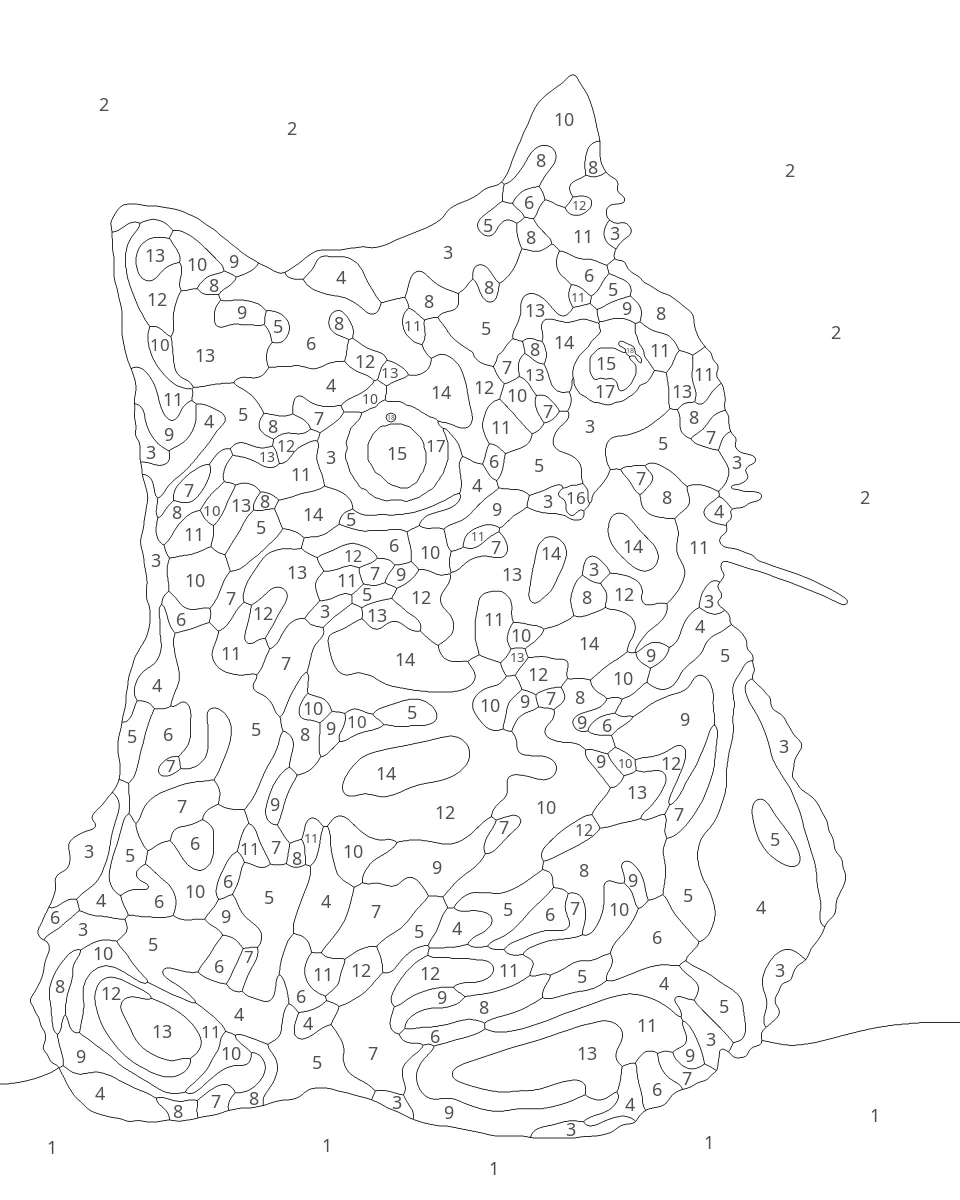


Beginner · 20 × 25 cm · 17 colours · 202 shapes · about 4–7 hours of painting
Full size: painted kit (opens in a new tab) · template (opens in a new tab)
Other examples
How it works
-
Upload a photo
Up to 50 MB. Your browser shrinks it and removes location and camera data before sending it.
-
Crop and choose
Frame the photo, pick Beginner, Intermediate or Advanced, and a canvas size up to 20 × 25 cm.
-
Print and paint
Download the template, one A4 page at actual size, and the kit: colour key, mixing recipes, instructions and pot labels.
Questions
What paints do I need?
Ordinary student acrylics. Every colour in a kit is mixed from 6 or 7 standard tubes, such as Titanium White, Mars Black, Burnt Umber, Yellow Ochre, a yellow, a red and a blue. The colour key lists the tubes and gives a recipe in parts for each colour.
You'll also need a fine round brush, a small flat brush, a palette and some small lidded pots. The kit includes labels for the pots.
Can I get the template printed on canvas?
Yes. The template is one A4 page at the size you chose, so you can print it at 100% on A4 canvas paper, send the PDF to a canvas-printing service, or print it on paper and trace it onto a canvas board with graphite transfer paper. The kit explains how.
How do I print the template at the right size?
- Open the template PDF and print it on A4 at 100% / “Actual size”. Turn off “Fit to page”, “Shrink to fit” or “Scale to fit” (in some apps it's under “More settings” or “Page sizing”). Landscape templates print sideways; let the printer turn the page.
- Check it with a ruler. The scale bar on the page says how long it must measure (10 cm on most sizes), and the outline must be exactly your canvas size.
- Too small? The print was scaled to fit. Check the setting and print again. Phone print screens often scale without asking, so use a computer if you can.
- Onto the canvas: tape the top edge to the canvas or board so the template opens like a page, slide graphite transfer paper underneath (dark side down) and go over every line with a stylus or hard pencil. Or print straight onto A4 canvas paper, or ask a print shop for 100%.
How long does it take?
Making the kit takes a few minutes. Painting a Beginner kit (about 100–220 shapes) takes roughly 6 hours, an Intermediate kit (140–340 shapes) roughly 10, and an Advanced kit (190–450 smaller shapes) 15 or more.
What happens to my photo?
Your browser removes location and camera data and shrinks the photo before upload. We use it only to make your kit. The photo and kit files are deleted after 1 hour, or straight away when you press "Delete my files now". Your photos are never shared or used to train anything.
Which photos work best?
Sharp, well-lit photos with one clear subject: a pet, a face or a simple scene. Daylight from a window works well; dark rooms and harsh flash don't. Crop close so the subject fills the frame. Dark, blurry or busy photos give muddier kits. Faces need to be reasonably large on the canvas; we'll warn you if one looks too small.
Is it really free?
Yes. There are no fees and no accounts. If you'd like to help pay for the servers, you can support us on Ko-fi (opens in a new tab). Some links to art supplies are affiliate links (always labelled); the shop pays us a small commission.